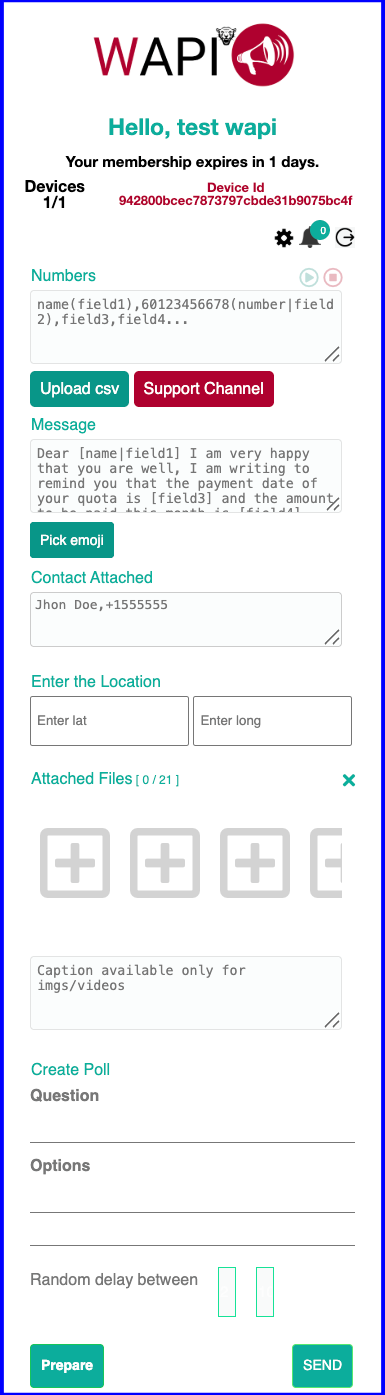
Use the channel your customers already know, and let WAPI add personalization, files, timing controls, and reports.
01
Reach customers in a familiar channel
WhatsApp is already part of daily communication. WAPI helps you use that space for authorized, useful conversations.
02
Make every message feel relevant
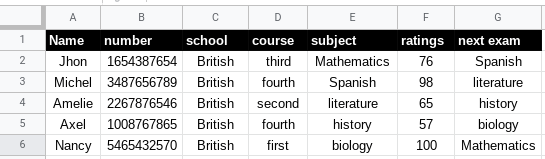
Use names, courses, grades, dates, customer details, or any CSV field to avoid generic messages.
03
Turn conversations into results
Send with delays, check errors, pause or stop sessions, and download CSV reports when finished.
Frequently Asked Questions
Click the + sign to open each answer.
Can I use multiple WhatsApp numbers?+
Yes. Connect each phone to WhatsApp Web by scanning its QR code.
Can I install it on multiple computers?+
Yes. The personal license can be used on up to three devices for the same user.
How many contacts can I send to?+
The extension can run continuously. For account safety, send only to people who know you or have authorized contact.
How do I install the extension?+
After activation, log in to WAPI Premium, install it using the provided links, and remove WAPI FREE or similar WhatsApp extensions to avoid conflicts.
How do I learn to use WAPI?+
After payment, you will receive access to Spanish video tutorials. You can also visit wapifree.ovh and use subtitles if needed.
How can I avoid WhatsApp blocks?+
Use WAPI responsibly. Do not send spam or unsolicited marketing. Message customers, students, or users who already know you.
Responsible communication comes first.
We do not promote spam, unsolicited marketing, or practices that violate WhatsApp Inc. policies. WAPI is designed for responsible communication with friends, family, customers, students, or authorized corporate contacts.
Secure purchase. Clear information.
Secure payment
Your purchase is processed through our secure official payment platform.
Instant digital activation
Activation is performed digitally after your payment is confirmed.
Available payment methods
Choose from the available payment options at checkout.